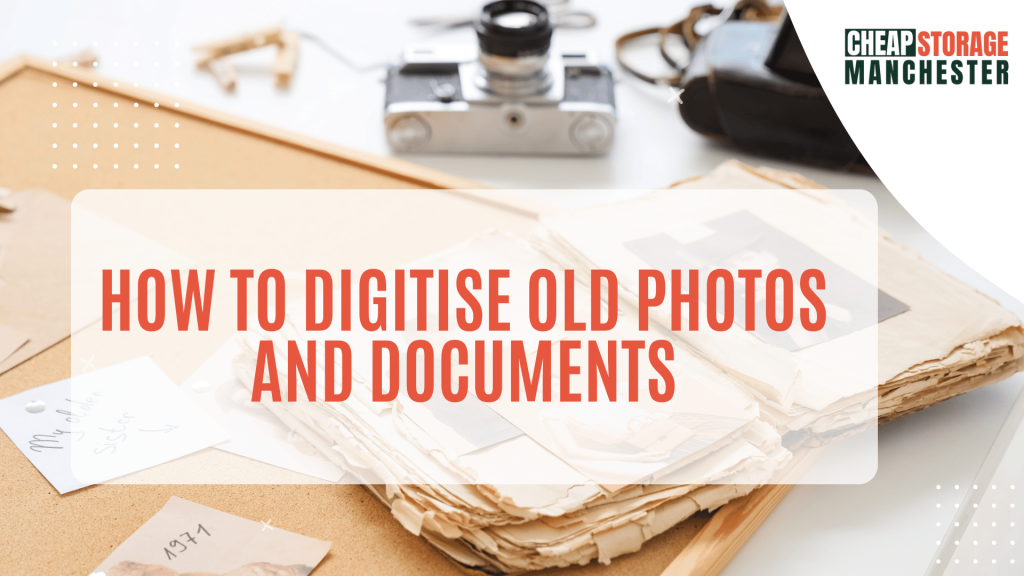
For many households in Manchester, a significant part of family history is tucked away in dusty shoe boxes and heavy, magnetic photo albums. Whether it’s black-and-white portraits of grandparents or fading Polaroids from 1980s summer holidays, these physical records are both priceless and incredibly vulnerable. Over time, moisture, light, and heat can cause irreversible damage.
Learning how to digitise old photos and documents is the most effective way to protect these memories while reclaiming valuable floor space. By converting your physical archive into a digital one, you ensure that family stories can be shared instantly with relatives across the globe and preserved for generations to come.
If you are planning a home renovation or simply want to focus on decluttering, this step-by-step guide will help you manage the process efficiently.
Step 1: Sorting and Organising Your Archive
Before you reach for a scanner, you need to know exactly what you have. Diving straight into digitising without a plan often leads to a “digital mess” that is just as hard to navigate as the physical one.
The Culling Process
Not every photo is a masterpiece. As you go through your boxes, be ruthless. Photos that are badly out of focus, duplicate prints, or generic landscapes without any family members in them can often be discarded. This reduces the workload and ensures your digital archive remains high-quality.
Categorise by Decade or Event
Sorting your photos into broad categories, such as “1970s,” “Weddings,” or “School Days”, makes the scanning process much faster. If you find documents like birth certificates or old letters, keep them in separate folders. This level of organisation is especially helpful if you are dealing with life events like downsizing or moving a relative into a smaller home.
Step 2: Choosing the Right Digitisation Method
There are three main ways to handle the actual conversion. The right choice depends on your budget, the size of your collection, and how much time you have available.
Flatbed Scanning (Best for Quality)
If you already have an all-in-one printer, you likely have a flatbed scanner. This is the best method for high-resolution results.
- Scan at 600 DPI: For standard 4×6 prints, 600 DPI (dots per inch) is the sweet spot. It allows you to enlarge the photo later without losing detail.
- Scan Multiple at Once: Many scanning software packages can automatically detect and “crop” individual photos if you lay three or four on the glass at once.
Smartphone Apps (Best for Speed)
For a quicker approach, apps like Google PhotoScan or Adobe Scan use your phone’s camera to create digital copies. These apps are surprisingly clever; they use multiple angles to remove glare and automatically straighten the edges. This is a great way to “fast-track” a smaller collection before moving items into home storage.
Professional Services (Best for Large Volumes)
If you have thousands of photos or delicate negatives, you might consider a professional service. You simply pack your photos into a box, and they return them alongside a USB drive or cloud link. This is a hands-off way to manage a large stock storage of family history.
Step 3: Naming and Backing Up Your Digital Files
A digital file named “IMG_4829.jpg” tells you nothing. To make your archive searchable, you need a consistent naming convention.
Use a Consistent Format
A popular format is: YYYY-MM-DD_Subject_Location. For example: “1984-06-15_Dad_Graduation_Manchester.jpg”. This ensures that your files stay in chronological order when viewed on a computer.
The 3-2-1 Backup Rule
To ensure your newly digitised memories are never lost to a hard drive failure, follow this industry standard:
- 3 copies of your data.
- 2 different types of media (e.g., your computer’s hard drive and an external USB).
- 1 copy stored offsite (e.g., in a cloud service like Google Drive or iCloud).
Step 4: Storing the Physical Originals Safely
Even after you’ve learned how to digitise old photos and documents, you likely won’t want to throw everything away. The original “tactile” versions still hold immense value. However, they should no longer be taking up space in your living room or a damp garage.
Use Archival Materials
Standard cardboard boxes and plastic sandwich bags can emit gases that damage photos over time. Invest in acid-free storage boxes and archival sleeves. These are specifically designed to prevent yellowing and sticking.
Finding the Right Environment
Photos are sensitive to Manchester’s humidity. Avoid lofts (which get too hot) and cellars (which are too damp). Instead, consider a safe and secure storage facility. A climate-controlled environment is the “gold standard” for preserving paper and film.
If you have a particularly large collection of paper records, documents and archive storage provides a way to keep the originals safe without they being a fire hazard in your home.
Summary of the Digitisation Process
- Audit: Cull bad photos and sort the rest into logical batches.
- Scan: Use 600 DPI for prints; use 1200 DPI or higher for small negatives.
- Organise: Rename files with dates and descriptions to make them searchable.
- Backup: Use the 3-2-1 rule to ensure your digital files are protected from hardware failure.
- Store: Place the best physical originals in acid-free boxes and keep them in a dry, secure furniture storage or personal unit.
Why Use Storage After Digitising?
Once your photos are digital, you can reclaim your cupboards and shelves. However, many people find that they aren’t ready to let go of the physical “master copies.” Using a small storage unit allows you to:
- Free up space: Clear out the “shoe box mountain” from your bedroom.
- Ensure safety: Professional facilities are open 7 days a week and offer much higher security than a home shed.
- Manage transitions: If you are a student moving between flats, student storage can keep your family archives safe while you travel.
With prices starting for even the smallest lockers and deals like 50% off your first 9 weeks, it is an affordable way to protect your history.
Final Thoughts
The process of learning how to digitise old photos and documents is a labour of love. It takes time and effort, but the peace of mind that comes from knowing your family’s history is safe is worth every minute. By combining modern digital backups with secure physical storage, you give your memories the best possible chance of surviving for the next hundred years.
If you are ready to start your project but need a secure place for your boxes, remember that you can find the cheapest storage prices in Manchester with no deposit required.